Event JSON
{
"id": "2a9841872de4f47f4fbc1d2c914694acff9ab559a9a4212cf26284b4bc4fa4f7",
"pubkey": "fea2025735549719642d069a6d350583ac3183a06a1e3c40bb7799f90e059807",
"created_at": 1770879903,
"kind": 1,
"tags": [
[
"t",
"help"
],
[
"imeta",
"url https://cdn.masto.host/mastodondesign/media_attachments/files/116/056/390/048/701/785/original/62da4d862e22ef9d.jpeg",
"m image/jpeg"
],
[
"t",
"macbookair"
],
[
"t",
"apple"
],
[
"t",
"yosemite"
],
[
"proxy",
"https://mastodon.design/@timothee/116056385367104240",
"web"
],
[
"proxy",
"https://mastodon.design/users/timothee/statuses/116056385367104240",
"activitypub"
],
[
"L",
"pink.momostr"
],
[
"l",
"pink.momostr.activitypub:https://mastodon.design/users/timothee/statuses/116056385367104240",
"pink.momostr"
],
[
"-"
]
],
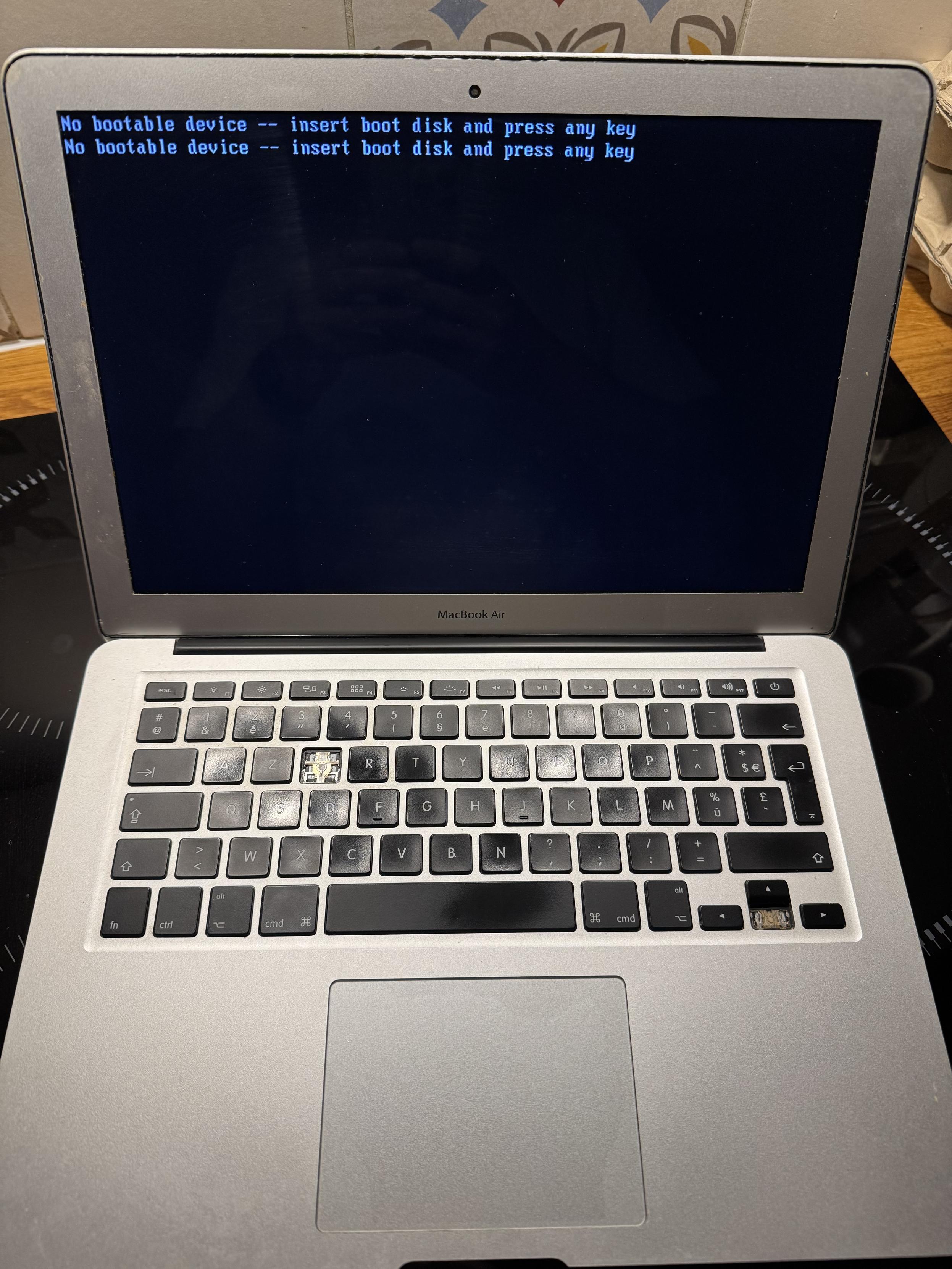
"content": "Any idea how to reboot this old 2013 MacBook Air using Yosemite on the stock (default) hard drive? The keyboard shortcuts Cmd + R (and the recovery process) don’t work.\n\nI’ll try creating a bootable USB drive with Big Sur on it.\n\n#Help #Apple #MacBookAir #Yosemite\nhttps://cdn.masto.host/mastodondesign/media_attachments/files/116/056/390/048/701/785/original/62da4d862e22ef9d.jpeg\n",
"sig": "fa2b7e0eb026fce0b0cdb798aa550ab762fe824621847fcb977267e3b7d411d8de0da53e0a003a0fd16a68f3d09b0e75556323faf26ee1225f6b5a1a5be8c2f2"
}