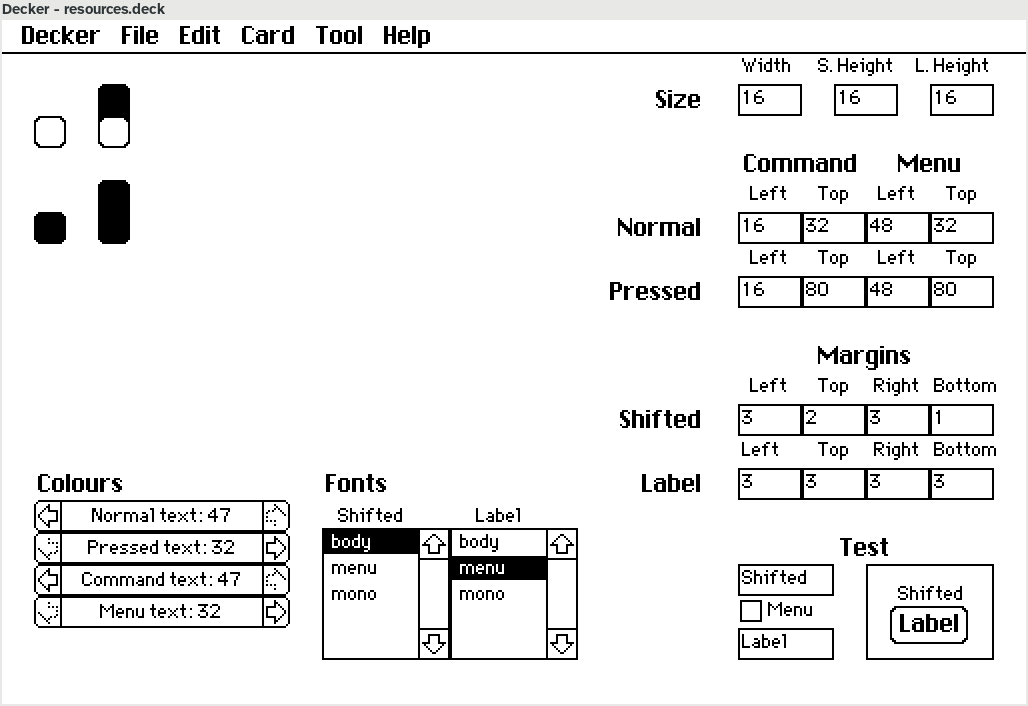

In the test area at the bottom right, I can type a label (that appears on the button's face) and a shifted label (that appears above the button). The button automatically sizes to fit the longer of the two strings (respecting the configured margins around each string) and keeps the shorter string centred. There's also a checkbox called "Menu" that marks the shifted function as opening a submenu, and clicking on the button displays the "pressed" version.
I'm a little bit alarmed that so many inputs are required to render a button, but it *is* kind of cool to have them all in one place, and to get immediate visual feedback after changing each one.